

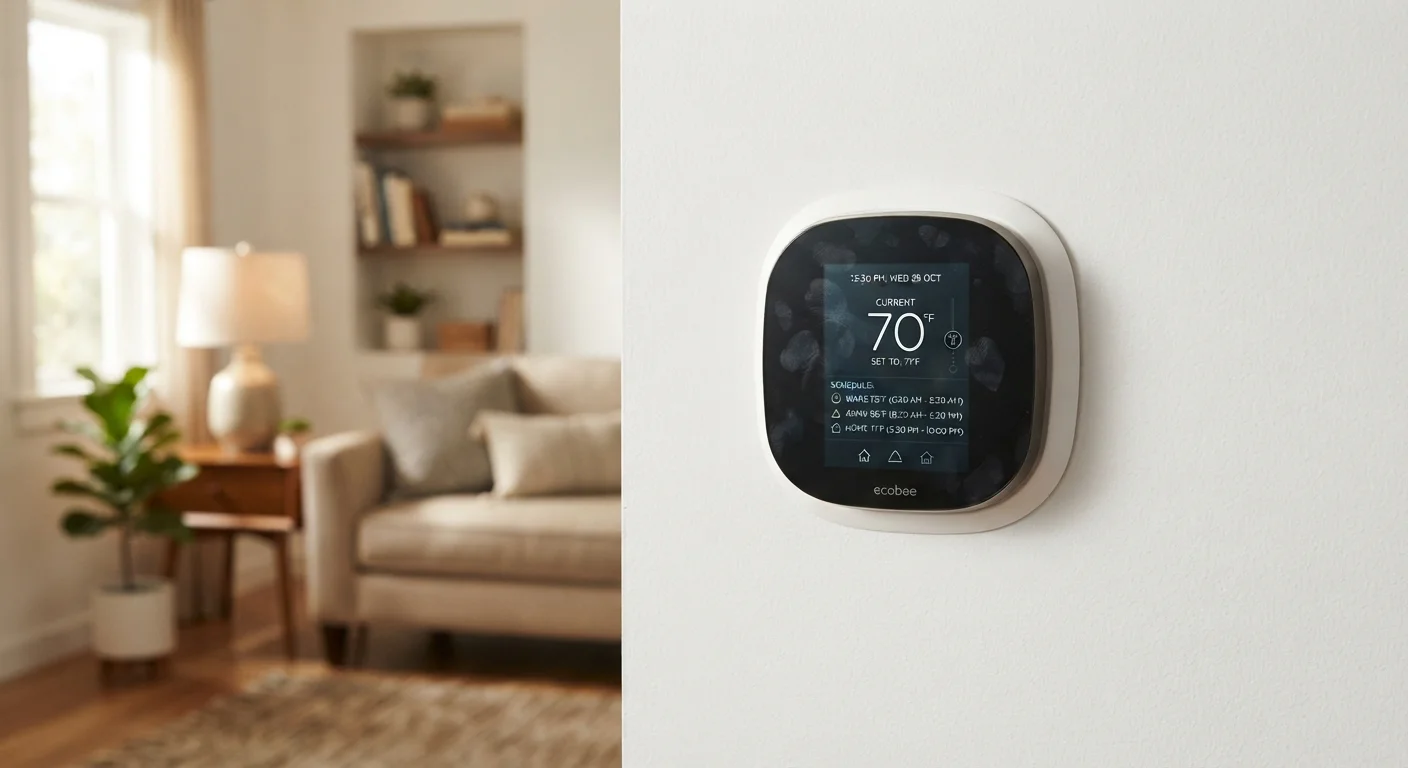
Why Scheduling Beats Manual Adjustments
Most households already own a programmable or smart thermostat - yet many run it on a permanent fixed temperature as if it were a basic manual dial. That gap between capability and actual use is where energy and money quietly disappear.
The principle behind scheduling is straightforward: your heating or cooling system works hardest to maintain a temperature, not to change it. If your home is conditioned to 70°F all day while you're at work, you're paying to keep an empty house comfortable. A modest setback - the term for intentionally allowing the temperature to drift toward a less energy-intensive range while the house is unoccupied or everyone is asleep - reduces how often your system runs, which directly cuts consumption.
According to the U.S. Department of Energy, setting your thermostat back 7-10°F from your normal setting for 8 hours a day can reduce annual heating and cooling costs by around 10%. That figure varies with climate, home size, insulation quality, and system type, but the underlying physics hold: a smaller temperature difference between indoors and outdoors means less heat transfer and less work for your system.
One persistent myth worth addressing: some homeowners believe it saves energy to leave the heat on low all day rather than let it cool and reheat. For most conventional heating systems, this isn't true. See our energy-saving myths guide for a fuller explanation of why the reheat argument usually doesn't hold up.
Building a Schedule That Fits Your Household
Before touching a single setting, map your real daily pattern on paper. Generic factory schedules built into thermostats assume a 9-to-5 household with predictable weekends - and that rarely matches reality. A night-shift worker, a household with remote workers, or a family with school-age children all need different configurations.
Ask yourself four questions:
- When does the house become unoccupied? That's your first setback opportunity.
- When does someone return? Your system needs lead time - typically 30-60 minutes depending on how large the setback is and how well-insulated your home is - to recover to the comfort temperature before they walk in.
- When does everyone go to bed? Sleep is your second setback window. Most people sleep comfortably at 65-68°F in winter and slightly warmer in summer.
- Are weekdays and weekends meaningfully different? Most programmable thermostats allow separate weekday and weekend schedules - use that feature if your patterns differ.
Once you have those anchor points, build four daily periods: wake, leave, return, sleep. That four-period structure is the foundation most programmable thermostats are designed around. For a detailed comparison of what programmable versus smart thermostats can actually do with these schedules, see our thermostat comparison guide.
Factor In Your Home's Insulation Quality
A well-insulated home holds temperature longer, so setbacks can be deeper and recovery windows shorter. A poorly insulated home may struggle to recover quickly, requiring more conservative setbacks. Improving insulation compounds the benefit of any schedule you set. Our home insulation hub covers practical starting points.
Also consider your home's thermal envelope - how quickly it loses or gains heat - when setting recovery times. A well-insulated home holds temperature longer, so setbacks can be deeper and recovery windows shorter. Improving insulation compounds the benefit of any schedule you set. Our home insulation hub covers practical starting points.
Step-by-Step: Programming Your Thermostat
Locate and review your thermostat's programming mode
Access the programming or schedule menu on your thermostat. On most devices this requires pressing a Schedule or Program button. If you can't find it, look up your model number - it's usually printed on the inside of the thermostat cover - and download the manual from the manufacturer's website.
Set your wake period temperature and time
Enter the time you typically wake up and set the target temperature for that period. In winter, 68°F is a common comfort benchmark for active morning hours. In summer, 76-78°F is a reasonable starting point for cooling. Adjust based on your own comfort preferences.
Program your away (setback) period
Set the time the house becomes unoccupied and enter a setback temperature. For heating, dropping to 60-62°F during unoccupied hours is effective for most climates. For cooling, allowing the house to rise to 82-85°F while empty is a reasonable setback range. The larger the setback, the greater the potential saving - but factor in recovery time.
Set your return (recovery) period
Program the thermostat to begin recovering to your comfort temperature before you arrive home. If you typically return at 6:00 PM and your system needs 45 minutes to recover, set the return period to start at 5:15 PM. Many smart thermostats can learn and adjust this automatically over time.
Configure your sleep period
Set the temperature for sleeping hours, starting roughly 30 minutes before you go to bed to allow gradual transition. For heating, 65-67°F suits most people during sleep. For cooling, 70-72°F is a common sleep comfort range, though individual preference varies.
Create separate weekend schedules if needed
If your household spends more time at home on weekends, duplicate the weekday schedule as a starting point, then shift the away period or eliminate it entirely. Most programmable thermostats offer a 5-2 (weekday/weekend) or 5-1-1 (weekday/Saturday/Sunday) split. Choose the option that best reflects your actual pattern.
Run the schedule for one week and review
Live with the new schedule for a full week before making changes. Note any comfort gaps - mornings that are too cold, evenings that take too long to cool - and make targeted adjustments to timing or setpoint rather than abandoning the schedule entirely. Small refinements compound into consistent, reliable results.
Note: Thermostat interfaces vary by model. Refer to your device's manual for button-specific navigation. The logic described below applies broadly to most programmable and smart thermostats available in the US market.
Common Mistakes That Undercut Your Savings
Even a well-intentioned schedule can fail to deliver if a few habits undermine it:
- Overriding the schedule constantly
- Occasional manual overrides are fine - that's what the hold or override function is for. But if you're adjusting the thermostat by hand every day, your schedule doesn't reflect your actual routine. Revisit the programming rather than fighting it.
- Setting recovery time too short
- If the house hasn't reached your comfort temperature by the time you wake up, you'll crank the thermostat higher assuming it heats faster. It doesn't. Your heating system delivers heat at the same rate regardless of the setpoint. Our article why turning up the thermostat doesn't heat your home faster explains the mechanics clearly.
- Neglecting seasonal adjustments
- A winter heating schedule and a summer cooling schedule have different optimal setpoints and timing. Review and update your schedule when you switch between heating and cooling seasons.
- Skipping the vacation or hold mode
- If you're away for several days, a standard daily schedule still cycles your system more than necessary. Use your thermostat's vacation or extended hold mode to set a single energy-saving temperature for the duration.
For a broader look at how thermostat scheduling fits into a whole-home efficiency strategy, see the complete home energy efficiency guide.
The content on this site is for informational purposes only and is not a substitute for professional advice. Always consult a qualified professional for guidance specific to your situation.