

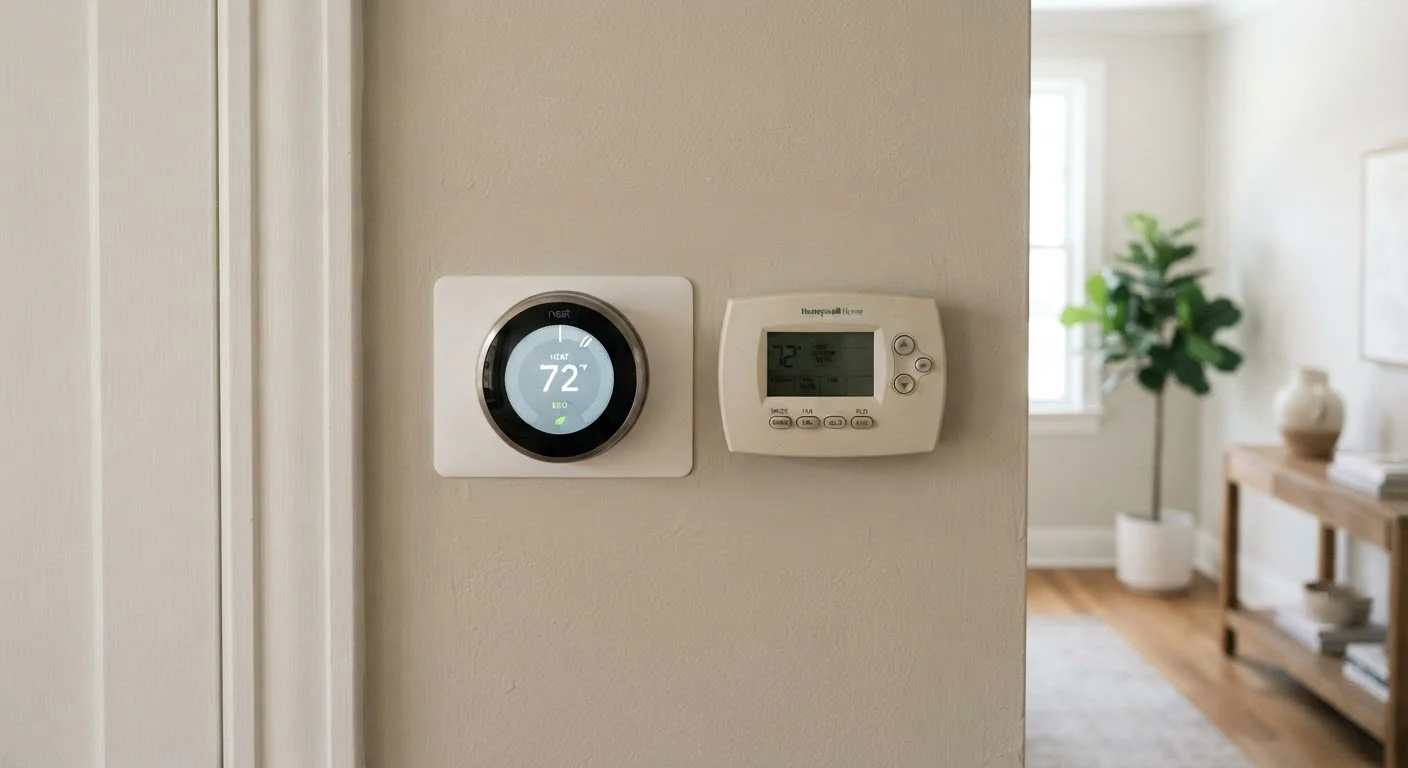
Option A
Programmable Thermostat
The reliable, set-it-and-forget-it scheduling tool.
Best for: Households with consistent daily routines who want automatic temperature control without app dependency.
Option B
Smart Thermostat
The adaptive, connected option for hands-on energy management.
Best for: Households with variable schedules who want remote access, usage data, and automated optimization.
What Each Thermostat Actually Does
Both thermostat types move beyond the basic manual dial - but they operate on fundamentally different principles.
A programmable thermostat lets you set temperature schedules in advance: cooler overnight, warmer in the morning, set back while the house is empty. Once configured, it runs those instructions on repeat. It requires no internet connection and no smartphone. Its limitation is rigidity - if your schedule changes, the savings potential drops unless you manually reprogram it. Many homeowners never fully configure their programmable units, which is one reason they don't always deliver expected results. See our guide to thermostat schedules for how to set them up effectively.
A smart thermostat connects to your home Wi-Fi and can be controlled remotely via a smartphone app. More advanced models use occupancy sensors or learning algorithms to detect when the home is empty and adjust accordingly - without you touching a schedule. Some integrate with voice assistants or utility demand-response programs. The trade-off is a higher purchase price, more complex installation in some homes, and reliance on a functioning internet connection.
Understanding how your heating system responds to temperature settings is useful context before choosing either device - thermostats control when your system runs, not how quickly it heats.
Side-by-Side: Key Differences at a Glance
The table below compares the two thermostat types across criteria that matter most for a typical US household.
| Criterion | Programmable Thermostat | Smart Thermostat |
|---|---|---|
| Temperature control | Fixed user-defined schedule | Adaptive, remote, or learning-based |
| Internet connection required | No | Yes (for smart features) |
| Remote access via app | No | Yes |
| Occupancy detection | Not available | Available on many models |
| Energy usage reports | No | Yes |
| Typical upfront cost | Lower | Higher |
| C-wire often required | Rarely | Frequently |
| Setup complexity | Manual schedule entry | App-guided, Wi-Fi pairing |
Compatibility is worth emphasizing. Smart thermostats commonly require a C-wire (common wire) to draw consistent power. Older HVAC systems - particularly those with only two wires - may not have one. Check your existing wiring before committing to a smart model; an HVAC technician can advise if you're unsure.
Energy Savings: What the Evidence Suggests
Both devices can reduce heating and cooling energy use - but the savings depend heavily on how each is used.
The U.S. Department of Energy estimates that turning your thermostat back 7-10°F for 8 hours a day can save roughly 10% on annual heating and cooling costs. Programmable thermostats automate exactly that kind of setback. The catch: those savings assume the schedule is properly configured and actually followed. Research has found that many programmable thermostat owners override their schedules frequently, reducing efficiency gains.
~10%
Potential annual HVAC savings from setback scheduling
The U.S. Department of Energy estimates this saving when temperatures are set back 7-10°F for 8 hours per day.
~50%
Share of home energy use from heating and cooling
According to the U.S. Energy Information Administration, space conditioning accounts for roughly half of a typical US home's energy consumption.
Smart thermostats can recapture some of that lost savings by adapting when a schedule isn't being followed - sensing an empty house, for instance, and dialing back without waiting for a programmed instruction. However, the additional savings from smart features over a well-used programmable thermostat tend to be modest for households with stable routines. For variable-schedule households, the gap may be more meaningful.
It's also worth reviewing common energy-saving myths - some assumptions about thermostat behavior don't hold up under scrutiny.
Installation, Setup, and Ongoing Use
Installing either type typically involves turning off power at the breaker, removing the old thermostat, labeling existing wires, and connecting them to the new unit. Many homeowners are comfortable doing this themselves for low-voltage thermostat wiring. However, if you're uncertain about your wiring, or if your HVAC system is complex, consult a licensed HVAC technician. Always verify local permit requirements - some jurisdictions require a permit for HVAC work even at the thermostat level.
Setup complexity differs meaningfully once the device is on the wall. A programmable thermostat requires you to manually input temperature schedules via buttons or a small screen - a one-time task that takes 15-30 minutes. A smart thermostat typically walks you through a guided app setup, connects to Wi-Fi, and in some cases begins learning your preferences automatically. That convenience comes with an ongoing dependency: if the app changes, the Wi-Fi drops, or the manufacturer discontinues support, some features may stop working.
For households evaluating the full spectrum of thermostat options, our article comparing manual, programmable, and smart thermostats covers where each type fits in.
Whichever device you choose, pairing it with solid home insulation will amplify your results - a well-sealed home responds more effectively to temperature setbacks.
This article is for informational purposes only. Thermostat installation involves low-voltage electrical work; if you are unsure of your existing wiring or HVAC system configuration, consult a licensed HVAC professional. Always verify local codes and permit requirements before beginning any HVAC-related work.
The content on this site is for informational purposes only and is not a substitute for professional advice. Always consult a qualified professional for guidance specific to your situation.