

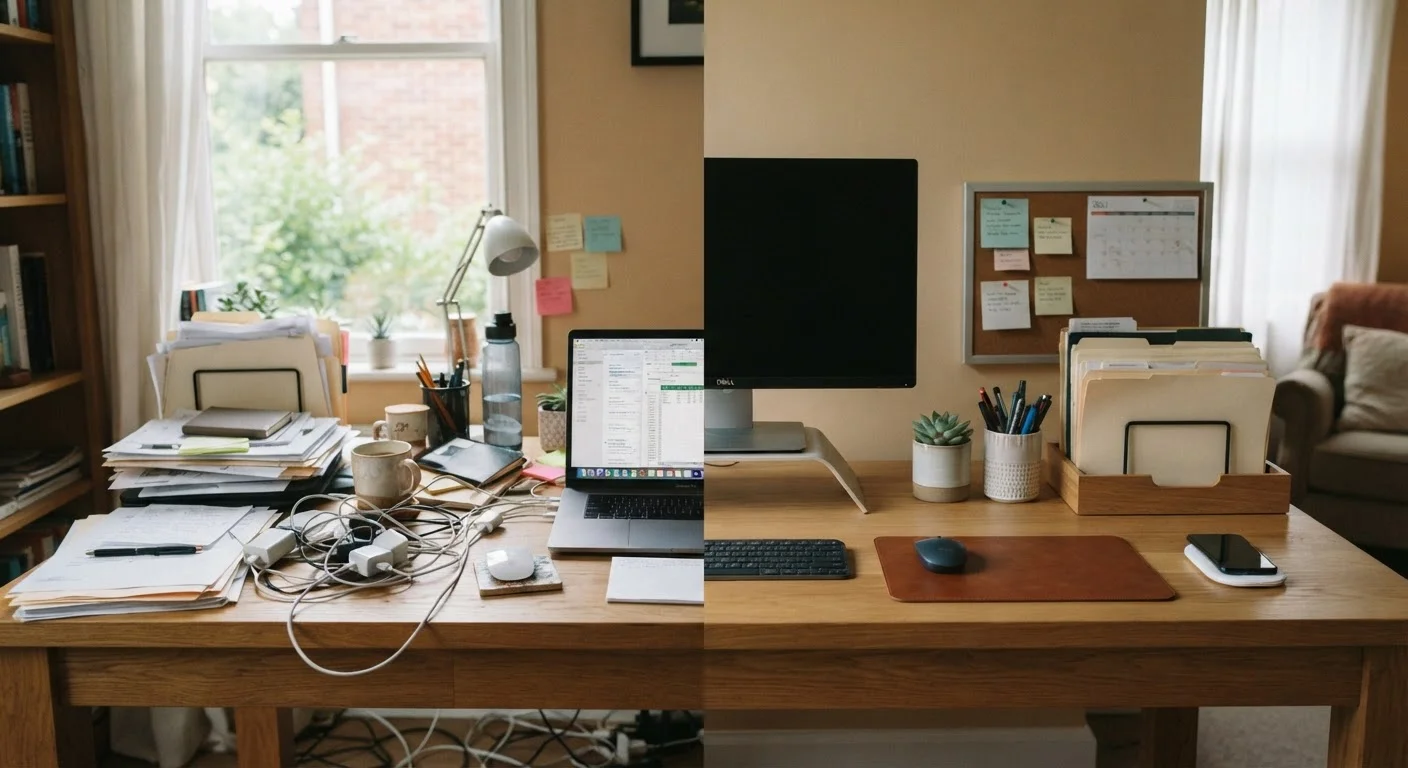
Why Home Office Clutter Keeps Coming Back
Home office clutter is rarely a storage problem at its core - it's a decision-deferral problem. Every item sitting on your desk represents a choice that wasn't made: where this belongs, whether it's still needed, or what action it requires. When those micro-decisions pile up across a workday, the desk becomes a physical to-do list with no clear end.
Understanding this distinction matters because it changes your approach. Buying more organizers without addressing the underlying habits that generate clutter means you'll fill the new storage just as quickly. The most effective strategy combines targeted physical storage with a small set of consistent desk routines - ideally ones that take under two minutes to execute.
If you haven't already mapped your office's clutter hotspots systematically, the Household Declutter Audit checklist is a useful starting point before investing in any new storage.
The Desk Habits That Build Clutter - and the Storage That Counters Each One
Each of the following mistakes has a direct physical solution. Addressing both sides - the habit and the missing storage - is what makes the change durable.
Using the desk surface as a default landing zone for everything that enters the office.
Why it happens: Without a designated arrival point for incoming items, the desk becomes the path of least resistance - everything lands there first and rarely moves.
Keeping supplies on the desk that are used less than once a week.
Why it happens: Office supplies feel like they should be immediately accessible, so people keep everything out - even items rarely touched - under the assumption that proximity saves time.
Letting cables accumulate loosely across and behind the desk.
Why it happens: Cable management feels like a low-priority task compared to actual work, so it gets perpetually deferred until the tangle becomes a visual and functional obstacle.
Storing paper documents in loose stacks rather than an active filing system.
Why it happens: Filing feels like an interruption, so papers get set aside with the intention to file later - and 'later' accumulates into a stack that's eventually too intimidating to sort.
Treating the home office as shared overflow storage for items that belong elsewhere.
Why it happens: Home offices often double as catch-all rooms, particularly in smaller homes, and items migrating in from other spaces are harder to notice because they arrive gradually.
For a deeper look at balancing paper, tech accessories, and supplies in a compact space, see our guide on small home office storage.
Building Storage That Prevents Clutter From Returning
57%
Remote workers report desk clutter reduces focus
A commonly cited figure in workplace productivity research suggests that physical desk disorder is one of the top self-reported distractions for people working from home.
~23 min
Average time lost refocusing after a distraction
Research from the University of California, Irvine has indicated it can take roughly 23 minutes to return to a task after an interruption - visual clutter is a known contributor to distraction.
Once you've identified which habits are driving your clutter, storage upgrades become much more targeted. A wall-mounted pegboard above the desk keeps frequently used tools visible and off the surface. A two-tier document tray handles the inbox/outbox paper flow without occupying prime desk real estate. A small drawer unit on wheels slides under the desk for supplies that don't need daily access.
Vertical space is consistently underused in home offices. Floating shelves positioned at eye level or above the monitor create storage that doesn't compete with your working surface at all. Cable clips or adhesive cord channels routed along desk edges eliminate the wire tangle that makes even a lightly cluttered desk feel overwhelming.
If you enjoy building custom solutions on a budget, the DIY Organizers hub has a range of handmade projects suited to desk and shelf organization. For a broader room-by-room framework that includes office storage within the context of your whole home, the complete home organisation framework offers an end-to-end audit approach.
The goal isn't a magazine-ready desk - it's a workspace where every category of item has a defined home, so returning things takes less effort than leaving them out.
The content on this site is for informational purposes only and is not a substitute for professional advice. Always consult a qualified professional for guidance specific to your situation.